Why and How to Convert Text to PDF Online?
Every piece of content starts its journey from plain text, whether it is notes, writing drafts, professional documents, or others. However, text files are not suitable for sharing, printing, and presenting information professionally. This is where you need to convert the text files into PDF format.
Converting your text to PDF is a simple task. With the help of the right tools and steps, you can do this process quickly and efficiently.
In this blog post, we’ll explain;
- Reasons for converting your text to PDF documents.
- A Step-by-Step Process to convert TXT to PDF online.
Why Should You Convert Text to PDFs?
Below are the reasons highlighting why converting plain text into PDF format is important;
● Better Compatibility Across Devices
One of the main reasons for using PDF is that it is openable and readable on all devices. So, you can easily view it on Windows, Android, Linux, and other devices.
● Maintains Original Formatting of Your Text
When it comes to plain text files, they don’t support advanced formatting like headings, alignments, fonts, etc. On the other hand, PDF documents are efficient at preserving the:
- Actual layout
- Design
- Fonts of your text
As a result, your documents look clean and professional in PDFs.
● Better Security for Your Sensitive Data
Another reason to convert your text files to PDF is that you can protect or restrict them using a password. This feature of PDF ensures that your important data is secure from unauthorized people.
● Better for Sharing & Printing
PDF documents are compact and optimized for sharing via email or chat platforms. They’re also printable.
● Give Your Content a Professional Appearance
Transforming plain text into PDFs with headers, page numbers, and colors makes it easier to read. Plus, PDF supports non-textual elements as well, like images, graphics, etc., without changing the actual layout.
All in all, PDF documents are more professional, secure, easier to share, and compatible across all devices. Now, move to the process of converting text to PDF online.
How to Convert Your Text to PDF Online?
When it comes to converting text to PDF, there are multiple methods. However, we’re not going to discuss them all. One method that we found most efficient and simplest is using the Text to PDF converter. It is an online tool that is specifically designed to transform a TXT file to PDF document.
Below are the easier steps that you should follow for turning plain text into a PDF file using an online Text to PDF converter tool.
Step 1: Select Online Text to PDF Converter Tool
First of all, you need to pick a suitable text to PDF converter. On the internet, you’ll find numerous such online tools. In this scenario, you can consider the following aspects to select a reliable choice;
- Top Ranking: We suggest searching for the Text to PDF Converter tool on Google and shortlisting the higher-ranking tools.
- Accurate Working: You should check each tool’s working by running it practically, and choose the one that gives accurate results.
- Simple to use: Another aspect to look for in the converter is that it should be easier to understand for you.
- Editing & Formatting: Look for the tool that allows you to change the formatting, layout, pattern, etc., before conversion.
- Fast Converting: The tool should be efficient to instantly turn your large text files into PDFs within seconds.
By following the above points, we found a top-ranking, fast, and accurate Text to PDF Converter. In the upcoming sections, we’ll go with the same tool.
Step 2: Input Your Text Into the Converter
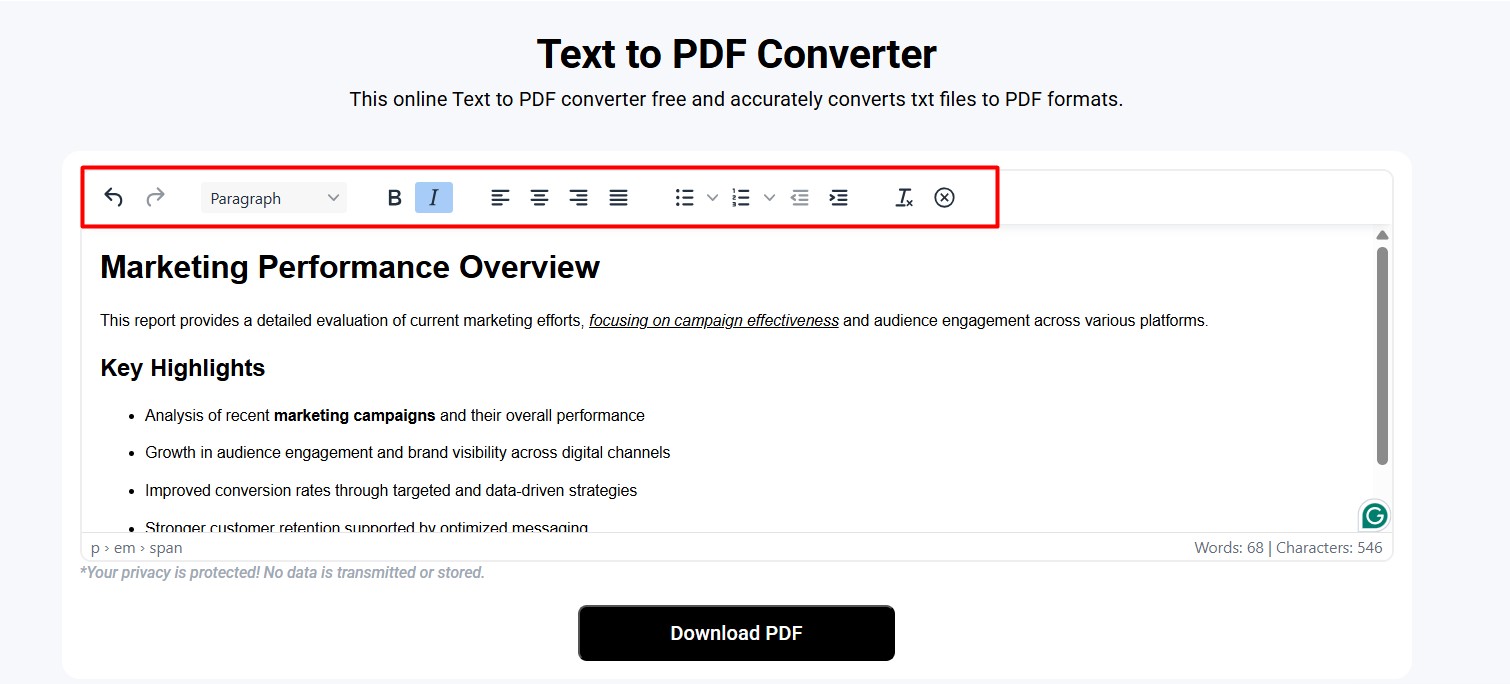
Once you choose an online tool, the next step is to input the text that you want to be converted into a PDF document. You can type, paste, or upload the text from the device’s storage into the input area.
After providing the text, make necessary changes using the Edit options by the converter. For a practical demonstration, we pasted a random text piece into the tool and formatted it a little bit.
The image below showcases step 2:
Step 3: Start TXT to PDF Conversion
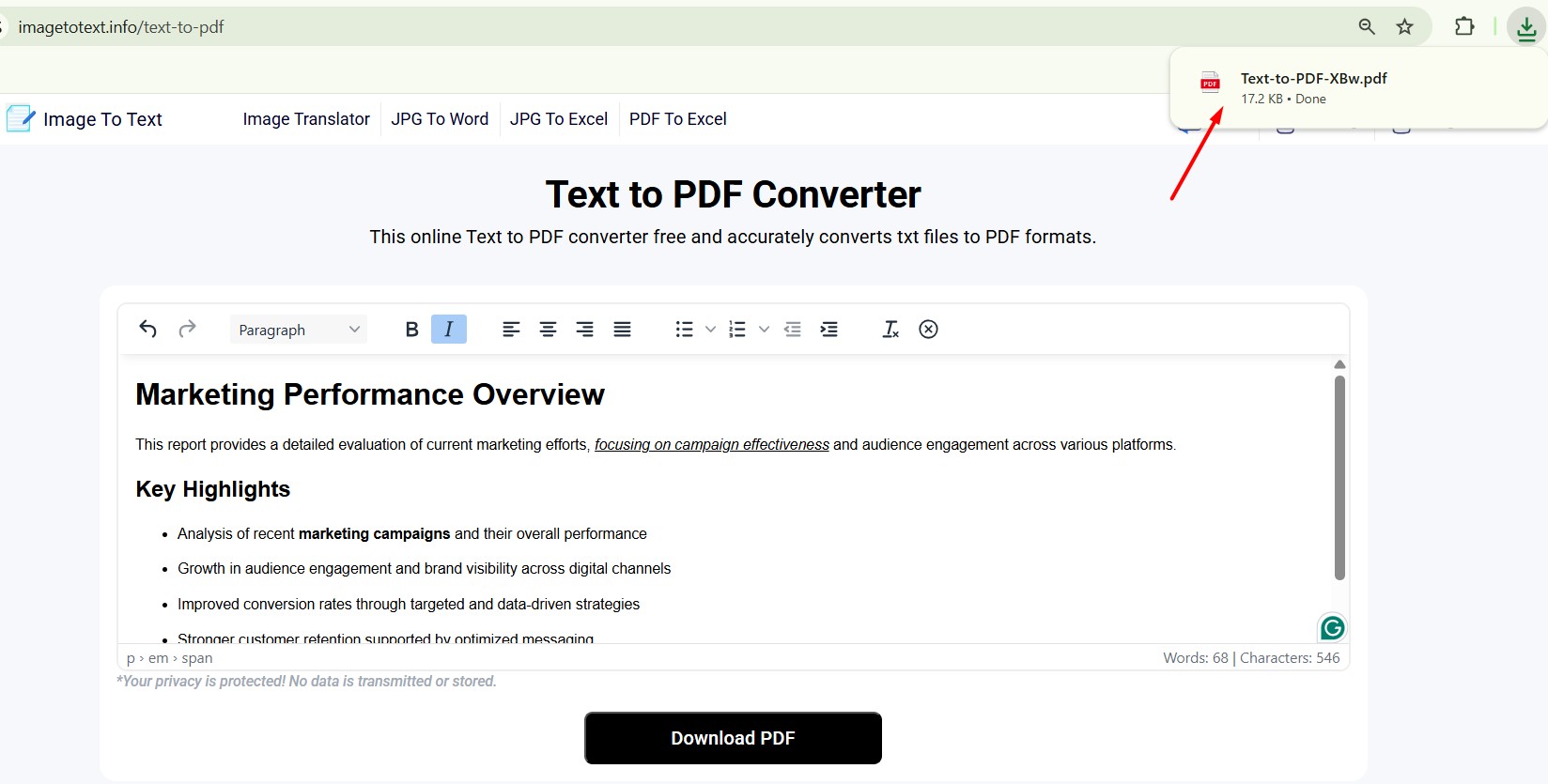
When you’ve done everything, it is time to start conversion. For this, you simply need to click the “Download PDF” button (which is shown in the above image). The tool will instantly turn plain text into a PDF file and automatically download it to your device as well.
Here’s the demonstration of the 3rd step;
That’s how you can convert plain TXT files into PDF using an online tool with just three simple steps.
Final Thoughts
Nowadays, PDF has become the standard format that people prefer for sharing, saving, and presenting their documents. This is because, PDFs file;
- Maintain actual formatting.
- Allow password protection.
- Provide a professional look.
- Compatible across all devices.
So, if you mostly deal with TXT files, then we suggest converting them into PDF documents. The conversion process is also very simple with the online Text to PDF converter, as explained above.

Charles Poole
Charles Poole is a versatile professional with extensive experience in digital solutions, helping businesses enhance their online presence. He combines his expertise in multiple areas to provide comprehensive and impactful strategies. Beyond his technical prowess, Charles is also a skilled writer, delivering insightful articles on diverse business topics. His commitment to excellence and client success makes him a trusted advisor for businesses aiming to thrive in the digital world.