Corporate Live Streaming: Tips for Flawless Broadcasts
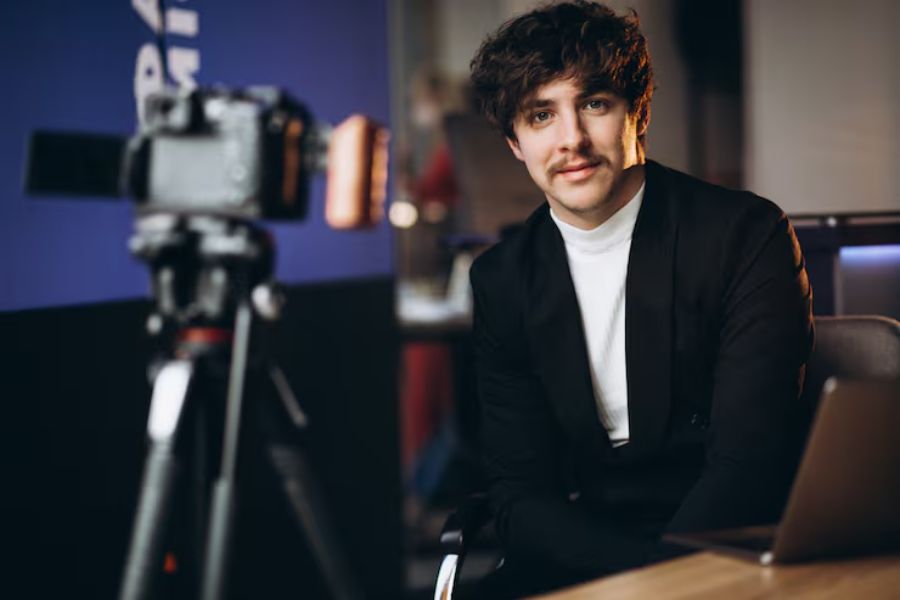
Live streaming isn’t just for influencers or gamers. More companies are utilising corporate live streaming to connect with employees, clients, and audiences in real-time. Whether it’s a product launch, a conference, or training sessions, live streaming corporate events helps your message reach people instantly—without needing a physical venue.
But live streaming refers to more than just pointing a camera and hitting “go live.” A smooth broadcast needs planning, good equipment, and a team that knows what they’re doing. Small mistakes, like poor lighting or lagging audio, can distract viewers and reduce the event’s impact.
What is Corporate Live Streaming?
Corporate live streaming means using live video to share company messages, host corporate events, or engage audiences online. You can use it internally for training sessions or CEO updates, or externally for webinars, product launches, and hybrid events.
It allows your companies to reach a global audience or a larger audience without everyone being in the same room. Unlike pre-recorded content, live events are immediate. Viewers can comment, ask questions, or react during the broadcast. This improves audience engagement and knowledge sharing.
Corporate livestreams can be fully virtual or combine a physical venue with online viewers. This makes your live stream content accessible to a wider audience and lets more people benefit from your event.
How to Keep Your Corporate Live Streams Professional
Plan Before You Stream
Planning is the first step to a smooth broadcast. Start by defining the live stream’s purpose, audience, and goals. Create a script or outline and schedule rehearsals to catch technical issues early.
Check your venue for lighting, noise, and camera angles. Make sure your internet is strong. Using a reliable streaming platform can prevent interruptions. For larger live events, have backup connections and technical support ready.
Quick planning tips:
- List key messages you want to deliver
- Assign roles: host, moderator, technical support
- Rehearse transitions and timing
- Test connectivity and backup options
Good planning ensures a professional viewer experience. Even small errors can make a broadcast look amateur.
Equipment, Setup, and Streaming Services
Equipment makes a big difference. You need good cameras, microphones, and lighting. Multiple angles look better, but one high-quality camera works if it’s well placed.
Audio is just as important as video. Viewers tolerate shaky video more than poor sound. Test microphones and monitor for background noise.
Many companies use professional live streaming solutions. These tools handle multiple cameras, overlays, and streaming to platforms like Facebook Live or LinkedIn. They also make it easier to engage audiences and offer live streaming features like polls and countdowns.
Dream Engine provides corporate video production and live streaming services. They manage setup, technical support, and the broadcast. This lets your team focus on content while viewers get a professional viewer experience.
Equipment checklist:
- Cameras (HD or 4K recommended)
- Microphones and backup audio sources
- Lighting (soft, even, and adjustable)
- Streaming platform with analytics and engagement tools
Engage Your Audience
Engagement is key. Encourage viewers to comment, vote in live polls, or ask questions. Have someone moderate so presenters can respond quickly.
Visuals like slides, graphics, or short videos keep viewers interested. Avoid clutter. Simple and clean visuals help your audience follow along.
Ways to engage viewers:
- Use live polls to gather opinions
- Encourage questions via chat
- Call out participants by name
- Add visual cues like lower-thirds or on-screen prompts
Corporate livestreams work best when you actively engage audiences. Even small gestures, like mentioning viewers by name, make the experience personal. Social media integration can expand your reach to a broader audience and global audience. Live streaming features like overlays, polls, and interactive tools make any event live more dynamically.
Test, Monitor, and Follow Up
Testing is essential. Do a full rehearsal with all cameras, mics, and streaming platforms. Check quality on multiple devices to ensure a professional viewer experience.
During the broadcast, monitor the stream closely. Technical support should be ready for issues. Backup cables, microphones, or a secondary streaming platform can save the broadcast if something goes wrong.
After the event, review analytics. See who watched, how long they stayed, and which parts kept viewers engaged. Sharing the recording allows a larger audience to benefit later.
Post-event checklist:
- Review engagement metrics and analytics
- Save and share the recording for on-demand access
- Gather feedback from viewers
- Note improvements for future events
This feedback helps improve future live streaming corporate events and increases the event’s impact.
Final Thoughts
Corporate live streaming is a practical way to reach audiences, save on travel, and keep communication engaging. It works for training sessions, hybrid events, or virtual events with a wider audience.
Using professional live streaming solutions, plus careful planning and technical support, ensures smooth broadcasts. Companies like Dream Engine provide streaming services for corporate events, handling setup, support, and engagement so your team can focus on the message.
Done right, corporate live streaming connects more people, supports knowledge sharing, and delivers impactful live events. From small training sessions to major corporate events, it helps reach a larger audience across physical venues and online platforms.

Charles Poole
Charles Poole is a versatile professional with extensive experience in digital solutions, helping businesses enhance their online presence. He combines his expertise in multiple areas to provide comprehensive and impactful strategies. Beyond his technical prowess, Charles is also a skilled writer, delivering insightful articles on diverse business topics. His commitment to excellence and client success makes him a trusted advisor for businesses aiming to thrive in the digital world.